1 class
30 days
10 USD
VietQR
Pay by bank transfer
A combat assistant for nine classes
World of Warcraft Forever
30 days
10 USD
VietQR
Pay by bank transfer30 days
20 USD
VietQR
Pay by bank transfer30 days
35 USD
VietQR
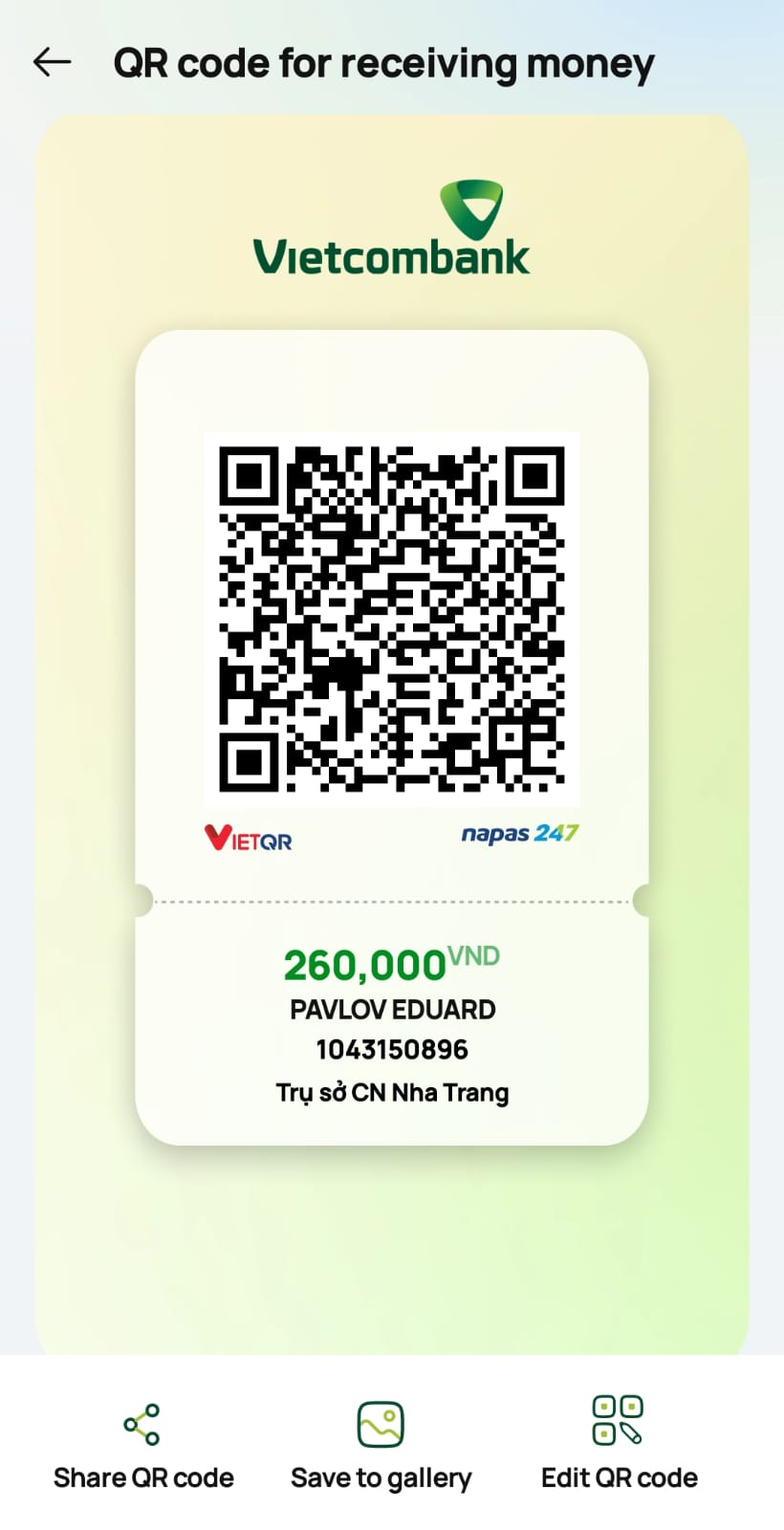
Pay by bank transferIf you are viewing the site on a computer, scan the QR code with your banking app on your phone.
If you are viewing the site on your phone, download the QR code. Then open the QR scanner in your banking app and select the saved image from your gallery. You can also use the bank details below.
Bank · Vietcombank
Account number · 1043150896
Recipient · PAVLOV EDUARD
Check the recipient and the amount in VND before sending. If your bank has not filled in the amount, enter it manually. If you can add a transfer note, include the order number.
Send by email Open TelegramAfter transferring, send the order details and bank transaction reference by email or Telegram. Your key is issued manually after the payment is verified.
edddiii31@gmail.com · @EDUARDVIET

The program follows the priorities of your specialization. It checks assigned keys, available resources, cooldowns and range when WoW provides that information.
Choose your specialization and abilities. GONA AI Combat reads their key bindings from WoW and shows what is keeping your rotation from starting.
The program reads your character level and key bindings for supported abilities on visible WoW action bars.
See which abilities are still unlearned, which need to be placed on the action bar and which need a key binding.
The launcher installs GONA AI Combat and the required addons while keeping your calibration and settings.
In the app, open Combat → Pre-combat check. The table shows the status of each ability in the selected rotation.
After verifying your bank transfer, the seller will send the licensed Windows launcher and the key file by email or Telegram.
In the licensed launcher, select Open key file and choose the file you received. Your license starts when you first activate it.
After transferring, send the order details and bank transaction reference by email or Telegram.
Get GONA ↑In the licensed launcher, select Open key file and choose the text file you were given.
How to activate a key ↑Open Pre-combat check to see whether GONA detects abilities and key bindings on the WoW action bar.
View example check ↑